What do the "Select all" options do?
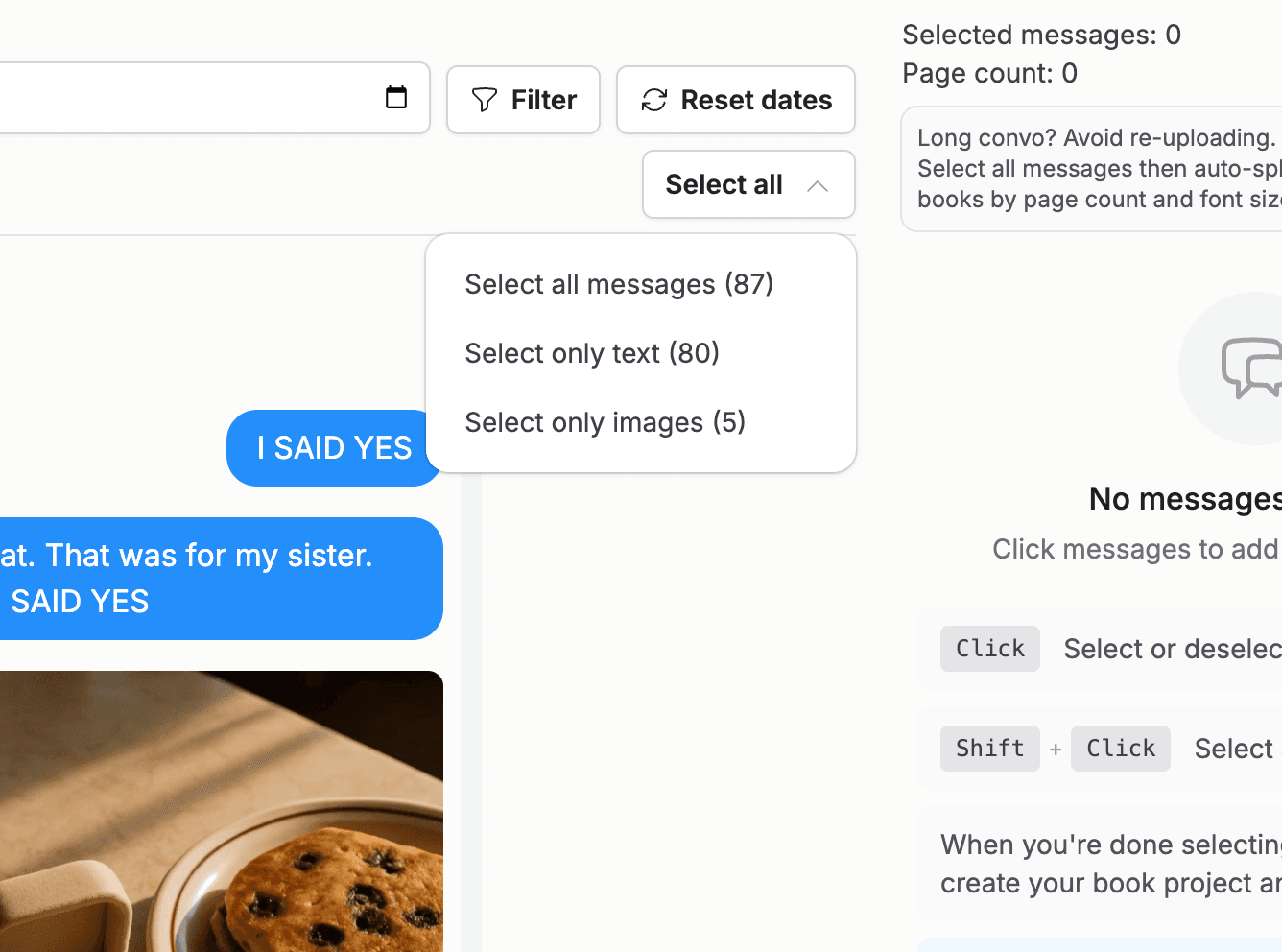
The "Select all" dropdown at the top of the selection screen gives you three bulk options, each showing how many messages it covers:
- 1
"Select all messages" selects everything currently visible. If a date filter is active, it becomes "Select all filtered messages" and only selects within that window.
- 2
"Select only text" selects text messages and skips media only messages.
- 3
"Select only images" selects the messages that contain photos, stickers, or GIFs.
To start over, use "Clear all" in the selected messages panel.