Can I type or paste messages in by hand?
Some conversations do not live in an app: handwritten notes, emails, cards, or texts from a service we do not support yet. For those, choose "Custom" when creating your book and add everything by hand.
- 1
In the editor, click "Add content by hand".
- 2
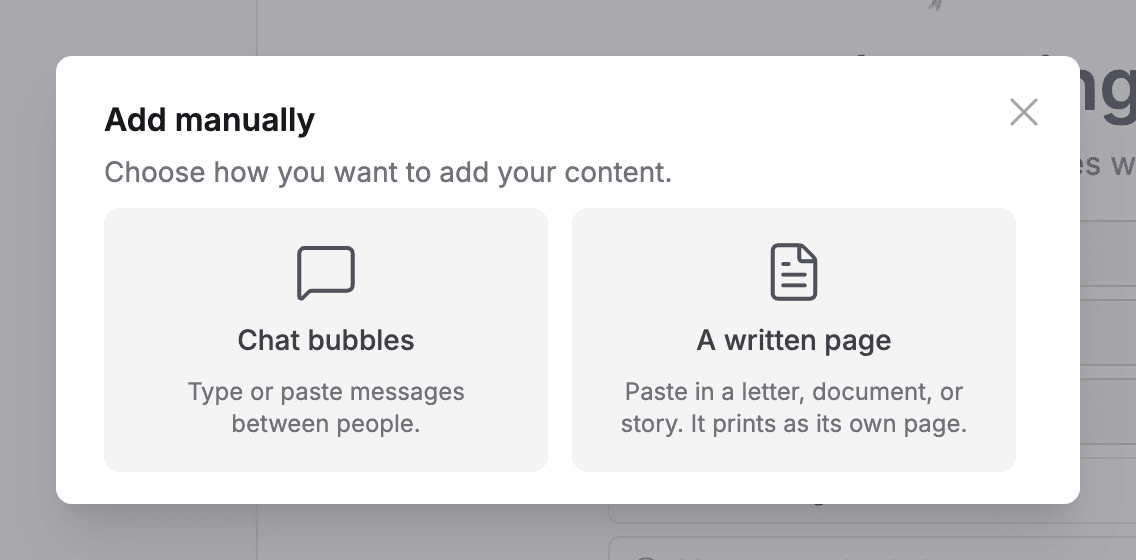
Choose "Chat bubbles" to type or paste messages between people. Give each message a sender and a date, and they print as real chat bubbles.
- 3
Or choose "A written page" to paste a letter, document, or story. It prints as its own page.
- 4
You can mix both with imported chapters, so one book can hold texts, letters, and anything in between.