How do chapters work?
Chapters give a long conversation shape. A book about a decade of texts might have a chapter per year; a book about a relationship might break at the first date, the move, and the proposal.
- 1
To split at any point, hover a message, click an insert arrow, and choose "Chapter break" under "Book elements".
- 2
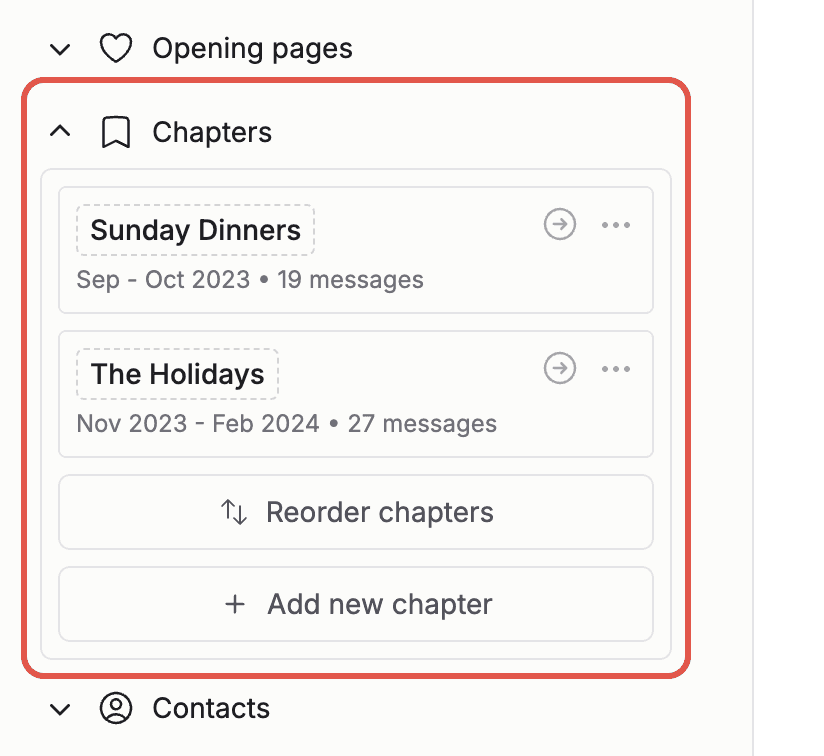
To name a chapter, open "Chapters" in the sidebar and click the chapter name to rename it. Chapter names print in the header of each chapter and in the table of contents.
- 3
To rearrange, click "Reorder chapters" and drag them into place.
- 4
To combine chapters, open the chapter menu and choose "Merge with previous" or "Merge with next".
- 5
To add a whole new conversation as its own chapter, click "Add new chapter" and upload another export. You can even import from another book you have already made.
Note: Chapter headers appear automatically once your book has two or more chapters. You can hide them under "Options" if you prefer a seamless flow.