How do I change bubble colors and fonts?
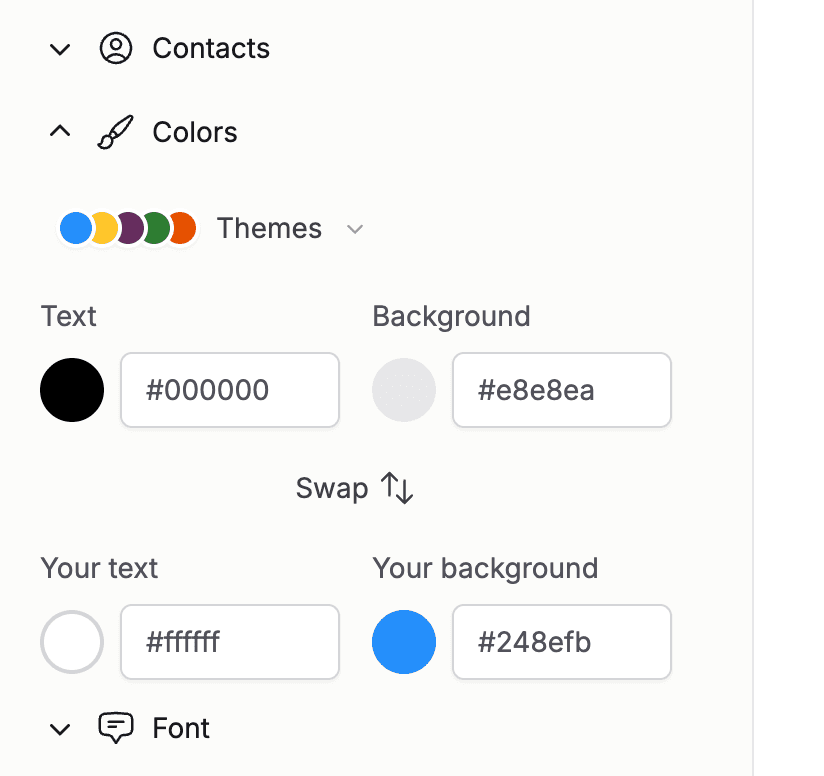
Open "Colors" in the sidebar to restyle the conversation. Preset themes match the look of iPhone, WhatsApp, and other apps, and you can click into any bubble swatch to pick custom background and text colors. There is also a "Switch" button to swap the sent and received colors.
Open "Font" to choose the typeface and size. The default, Inter at 16 pixels, reads like a modern phone. Serif options like Georgia give a more traditional book feel. Every change previews instantly on the pages.
Tip: Keep good contrast between text and background colors. What looks subtle on screen can be hard to read in print.