How to print WhatsApp messages (Android and iPhone)
Export the chat from your phone, then print it for free as a PDF or turn it into a printed book. This guide covers both routes, step by step.

Joshua Z
Founder, My Forever Books
WhatsApp has no print button. The chats that hold years of family updates, long-distance check-ins, and photos can only leave the app one way: through an export. Once you have that export, printing is straightforward, and you have two good options depending on what you want the result to look like.
I made a book out of the WhatsApp chat I had with my two college besties. It shows how we grew from classmates to close friends. The site was easy to use, and the book looks just like the chat in my phone.
- James, verified customer
Start your WhatsApp book (Ready to order in minutes. Meaningful for a lifetime.)
Table of contents
- Can you print WhatsApp messages?
- Export the chat from your phone (Android and iPhone)
- Print WhatsApp messages for free
- Turn the chat into a printed book
- Free print vs printed book
- FAQs
Can you print WhatsApp messages?
Yes. WhatsApp itself cannot print a chat, but every chat can be exported as a .txt or .zip file, and that file is all you need. From there you can either print the conversation for free from your browser or have it printed and bound as a book.
People usually print a WhatsApp chat for one of a few reasons:
- A backup that does not depend on a phone, an account, or an app
- A keepsake of a relationship, a family group, or a long-running thread
- A gift made from a conversation the other person already loves
- A readable record of messages from someone who has passed away
Reality check: phones break, accounts change, and chats get cleared. Exporting once and putting the conversation on paper is one of the simplest durable archives you can make.
Export the chat from your phone (Android and iPhone)
Both routes below start with the same export, so do this first. It takes about a minute per chat.
On Android
- Open the chat you want to print.
- Tap the three dots in the top right, then tap More.
- Tap Export chat.
- Choose Include Media if photos matter to the story, or Without Media for a smaller file.
- Save the file somewhere you can reach from your computer, for example your email, Google Drive, or a notes app.
This quick walkthrough shows the exact flow inside WhatsApp on Android.
On iPhone
- Open the chat you want to print.
- Tap the contact or group name at the top of the screen.
- Scroll down and tap Export Chat.
- Choose Attach Media or Without Media.
- Pick where to send the file, for example Mail, Files, or a cloud drive.
With or without media?
Include media if you want photos in the printed result. The export becomes a .zip file with the photos inside. Without media you get a smaller plain .txt file, which is fine if the words are all you need. Either file type works in both printing routes below.
Print WhatsApp messages for free
If you just want the conversation on paper or saved as a PDF, you can do it for free with our free WhatsApp viewer. It runs in your browser, requires no sign-up, and displays your export in a chat-style layout with photos shown inline when you upload a .zip.
- Open the WhatsApp viewer on your computer.
- Upload the .txt or .zip export you just created.
- Check that the messages, timestamps, and photos look right.
- Open your browser's print dialog (Ctrl+P on Windows, Cmd+P on Mac).
- Print on paper, or choose Save as PDF to keep a digital copy.
Being honest about the limits of a browser print:
- Page breaks fall wherever they fall, so a message bubble can split across two pages.
- There is no cover, title page, or chapter structure. It is the raw conversation.
- Long chats produce very large printouts, and home printing hundreds of pages gets expensive quickly.
- Voice messages and videos cannot play on paper, so they are effectively left out.
For a quick backup or a short chat, this route is often all you need. For anything you want to keep on a shelf or give as a gift, the next option holds up better.
Turn the chat into a printed book
The same export can become a hardcover book that reads like the chat on your phone. You upload the .txt or .zip to My Forever Books, and the conversation is laid out in message bubbles with names, timestamps, and photos in place.
- Chat-style formatting, with colors you can match to WhatsApp's look or change
- Photos printed alongside the messages where possible
- Voice messages included as scannable QR codes that play the recording out loud
- Editing controls for trimming, fixing typos, and adding context pages
- A full page-by-page preview before you order anything
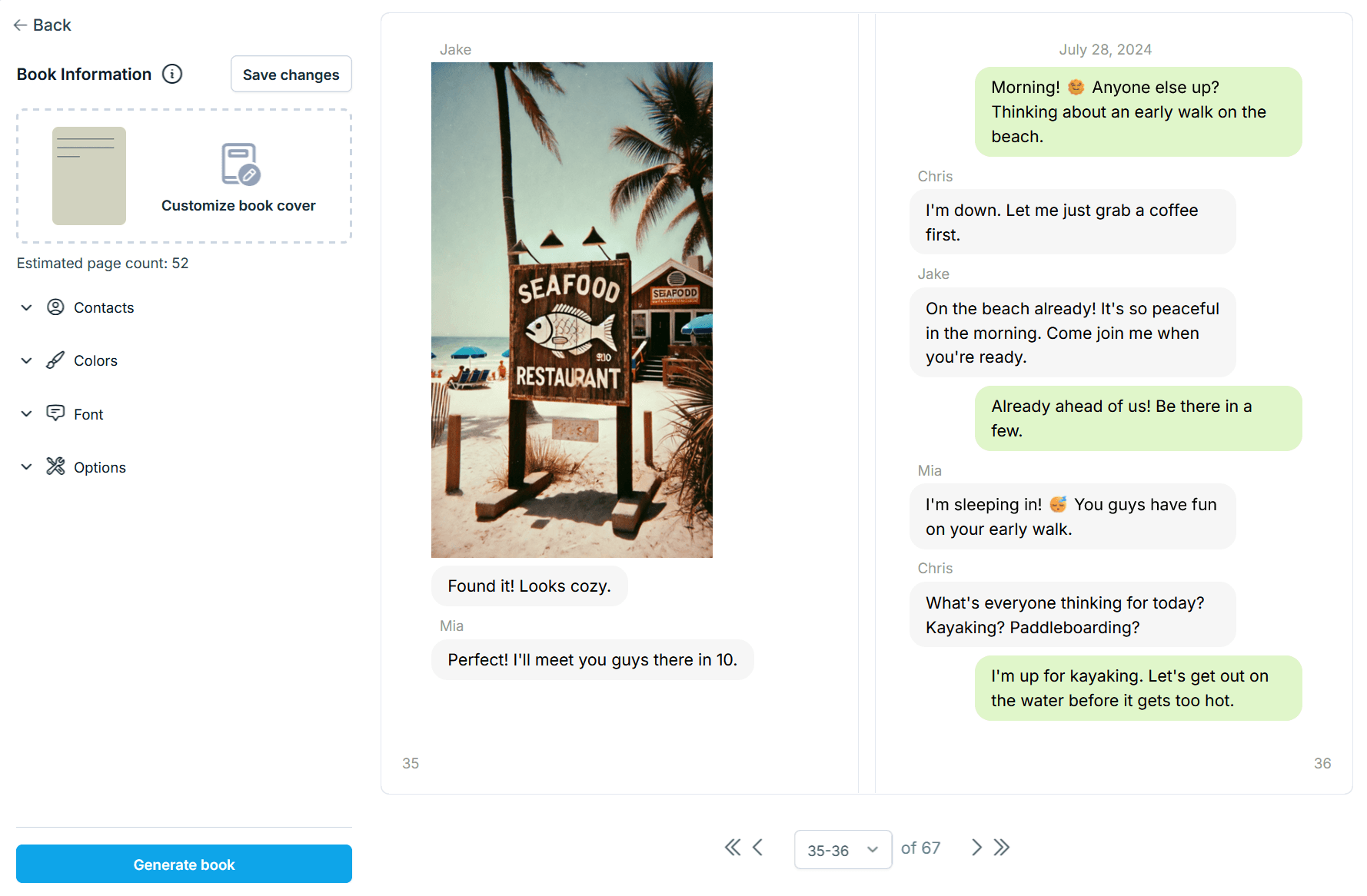
You can read more about how WhatsApp books work on the WhatsApp feature page, or see what books cost on the pricing page. When you are ready, you can start your book and upload the export straight away.
If you want a broader walkthrough of saving WhatsApp chats before you commit to printing, our guide to saving WhatsApp messages covers exports, backups, and opening the file on your computer in more depth.
Free print vs printed book
Both routes start from the same export, so you can try the free print first and move to a book later without redoing anything.
| Free browser print | Printed book | |
|---|---|---|
| Cost | Free (plus paper and ink) | Paid, see pricing |
| Format | Loose pages or a PDF | Bound book with a cover |
| Photos | Shown inline from .zip exports | Printed with the messages where possible |
| Voice messages | Not playable on paper | QR codes that play the recording out loud |
| Best for | Quick backups and short chats | Keepsakes, gifts, and long chats |
Our suggestion: use the free viewer to check your export either way. If the conversation deserves more than loose pages, continue into the book builder with the same file.